글

RPG Animation Pack List

  Animation List Actions Actions (13), Chest (6), Combat Idle (6), Crafting (36), Door Gate (10), Hammer (10), Item (21), Labber (4), Ladder (33), Obj Action (3), Start Point Behavior (5), Fishing (8), Carry (22), Tree Chopping (16), Mining (4), Farming - Plow (9), Plant (6), Gather (13), Watering (3), Seeding (3) Dead Pose (16) Base Move Crouch Base(28), Idle(6), Idle_Turn(14), Change(28), LR90_Shuffle(8), Start(28), Stop(28), Turn(10), Transition(4) Jogging Base(16), Change(16), Start(34), Stop(16), Turn(16) Roll Base(16), Heavy(16), Low(16) Run Type A,B - Base(40), Change(56), LR90_Shuffle(16), Start(56), Stop(40), Turn(28) Other_Run_F(14) Sprint Type A,B - Base(12), Start(24), Stop(12), Turn(20) Walk Type A,B - Base(40), Change(56), LR90_Shuffle(16), Start(68), Stop(40), Turn(20) Other_Walk_F(4) Type C - Base(16), Change(16), Start(34), Stop(16), Turn(16) Walk Slow Base(20) Stand_Idle Idle(7), Idle_Turn(28) Jump (30) Bow Burn Fire (1), Attack A (24), Attack B (20), Attack C (1...

How to use animation - Unity

이미지
  1. Prepare your character. Your character's basic pose will be T-Pose or A-Pose. The bone name will also be set to separate the left and right. 2. Prepare my animation. You must have downloaded my animation asset, which is provided for free for basic testing. RPG_Animations_Pack Free asset Lick -> Click RPG_Animations_Pack asset Lick -> Click 3. Select the FBX file and in the Rig settings, Make sure that Type is set to Humanoid and Source is set to T-PoseAvatar. 4. If you open the FBX file, you will see anim file. You can use this amim file in Animator, but if you are going to modify it later, it is better to duplicate it and use it. 5. Select the anim file and press Ctrl + D to duplicate it. The file will be duplicated and placed in a separate folder. If you register it in Animator and use it, it will automatically be set to fit your character's skeleton. 6. If you want to register or modify an event in an animation, you can refer to the documentation provided by...
이미지
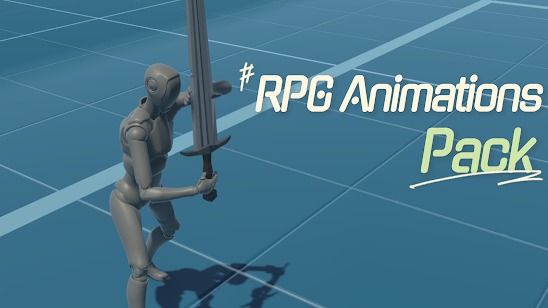
 RPG_Animation_Pack 현재 버전 1.0에서는 다음 에니메이션이 포함되어 있습니다. 앞으로도 계속 추가 할 예정입니다. 문의할 사항이 있으시다면 doublelsoft@gmail.com 으로 연락주시면 됩니다. 또한 유튜브도 운영하고 있으니 방문하시면 감사하겠습니다. https://youtube.com/@DL95 Block -Block_A_Idle -Block_A_Hit_1 -Block_A_Hit_2 -Block_A_Hit_3 -Block_B_Idle -Block_B_Hit_1 -Block_B_Hit_2 -Block_B_Hit_3 Hit -Hit_B_1 -Hit_B_2 -Hit_F_1 -Hit_F_2 -Hit_F_3 -Hit_F_4 -Hit_Up One Hand Up -OneHand_Up_Attack_1 -OneHand_Up_Attack_2 -OneHand_Up_Attack_3 -OneHand_Up_Attack_4 -OneHand_Up_Attack_5 -OneHand_Up_Attack_String -OneHand_Up_Idle -OneHand_Up_Jump_B -OneHand_Up_Run_B -OneHand_Up_Run_F -OneHand_Up_Run_L -OneHand_Up_Run_R -OneHand_Up_Sprint -OneHand_Up_Walk_B -OneHand_Up_Walk_F -OneHand_Up_Walk_L -OneHand_Up_Walk_R Roll -Roll_B -Roll_F -Roll_L -Roll_R